

Smoothly work Between Sibelius and Your DAW
Working between a DAW and Sibelius can be tedious. On one side, you want a score that's clean and ready for performers. On the other, you're building an audio production of the same material — for film, media, or anything else.
Created in collaboration with James Mazzocchi and Eliot Rao, the MIDI Transfer Tool gives composers a fast way to move notes from Sibelius into their DAW, and just as easily bring MIDI regions back into the score.
Features
1. Export a passage as a MIDI chip
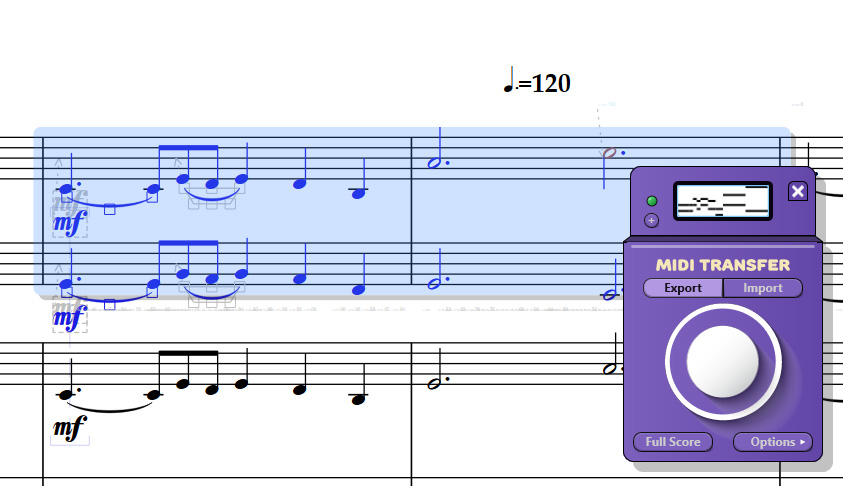
Select the passage in your score and click the stomp button. This loads a MIDI “chip” containing the note content — ready for export.
2. Drag and drop into your DAW
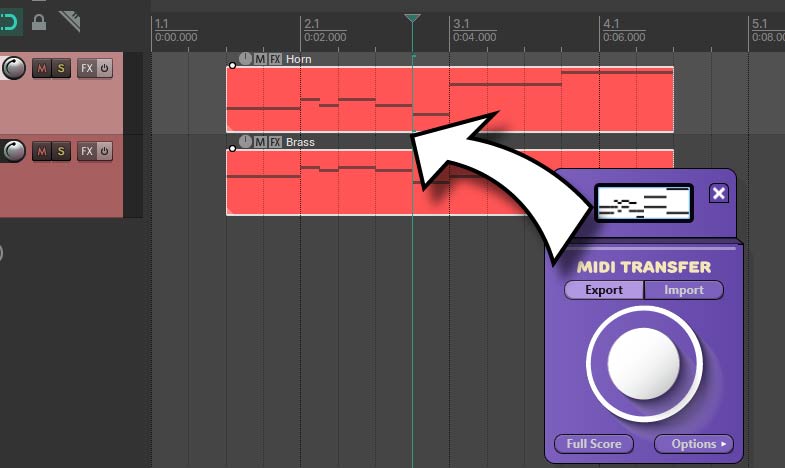
The MIDI chip can then be drag-and-dropped straight into the DAW’s project window, so your notation lands in the track, bar and position you desire.
3. Import MIDI into the score
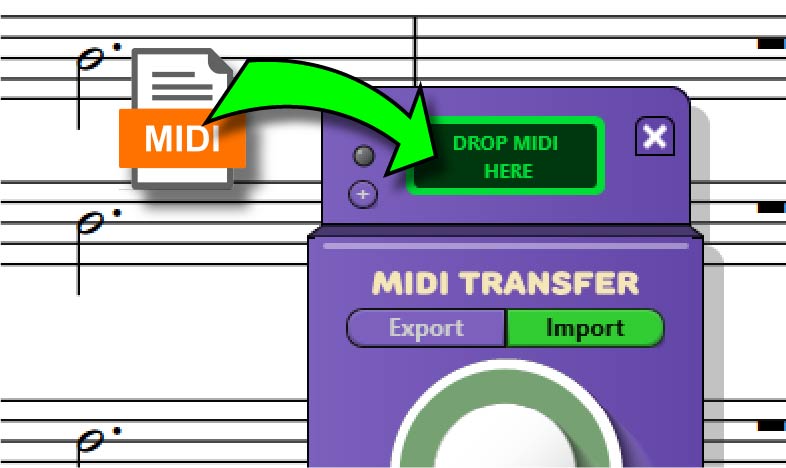
With the Import mode, you can drag a MIDI file (or project MIDI region in Cubase) into the chip and use the stomp button to paste it directly onto the selected measures in your Sibelius score.
Get the MIDI Transfer Tool
Integrate your Sibelius and DAW workflow with easy drag & drop between them.
MIDI Transfer Tool + Graphical MIDI Tools Perpetual Bundle
Get the Graphical MIDI Tools + the MIDI Transfer tool at a discounted price
Shorts
See the tool in action in these clips from our social media.
The Custom Tool Program
Tools like this start in our Custom Tool program. What should your next notation tool do? Learn more.