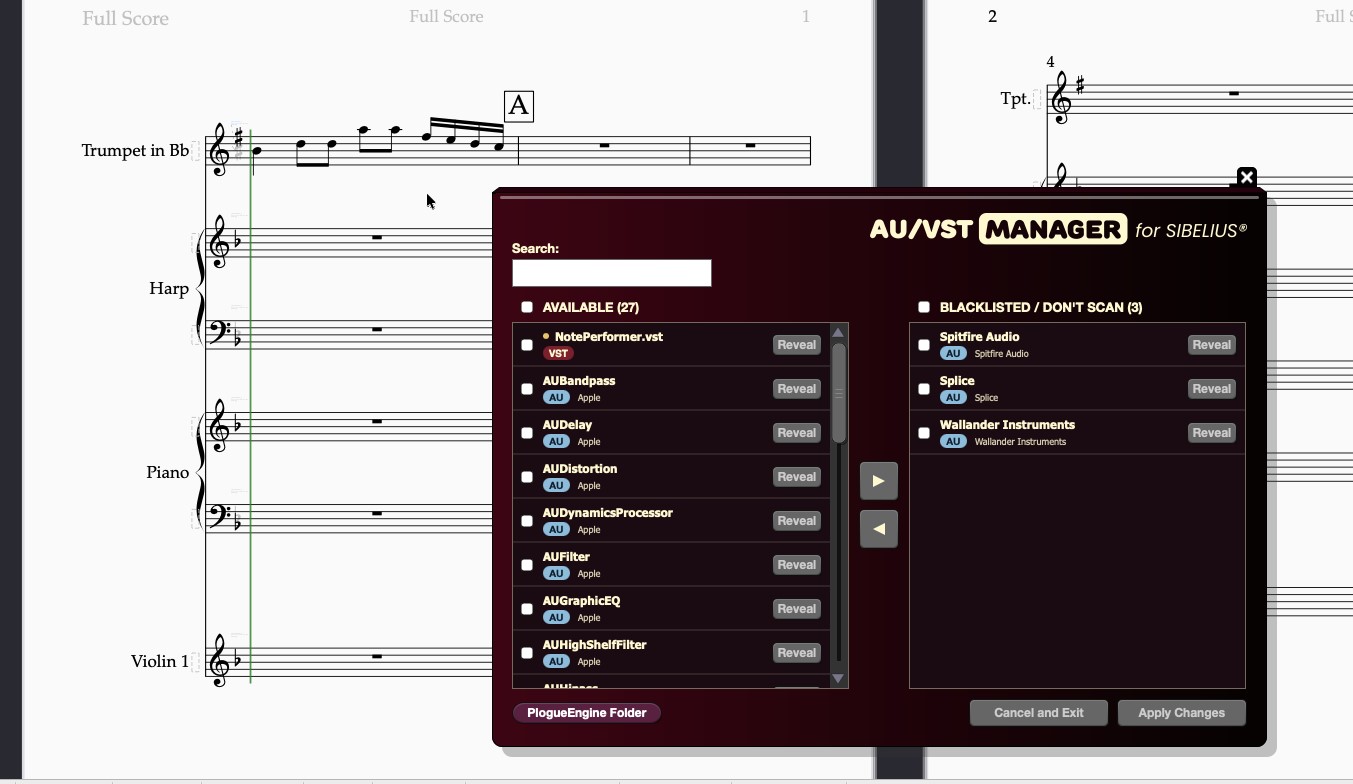
Today we are introducing a new tool for Sibelius: the AU/VST Manager.
This tool lets you choose which audio plugins installed on your system Sibelius will scan at startup, helping you speed up startup times and avoid potential crashes caused by third-party plugins.
Enabling and Disabling Audio Plugins
The tool displays all the audio plugins (AU and VST) detected by Sibelius at startup.
You can then choose which plugins to keep enabled and which ones to exclude from the initial scanning process.
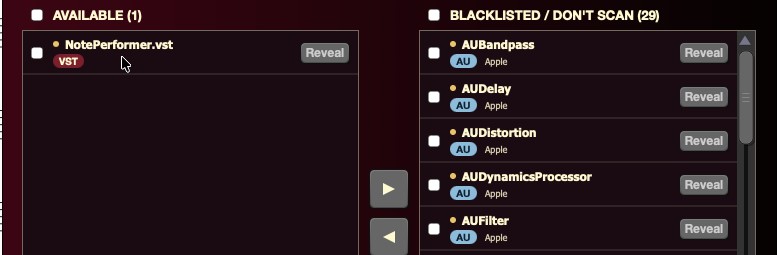
This not only reduces startup times but also helps prevent unexpected crashes caused by third-party plugin incompatibilities.
From Keith Levenson to the Scoring World
The tool was originally commissioned by Keith Levenson, an acclaimed conductor, arranger and music director whose career spans Broadway, rock and orchestral productions.

Through the ScoringWorld Custom Tool Program, we developed this extension to help him keep Sibelius from having to scan unnecessary audio plugins, ensuring a smoother startup experience that can keep up with his packed schedule.
Now Available
The AU/VST Manager is now available in the ScoringWorld public catalog.
You can find it here:
https://scoringworld.com/au-vst-manager
The tool requires Sibelius Ultimate 2024.3 or later and is available for both Mac and Windows.
Get the AU/VST Manager
Manage your audio plugins and streamline your Sibelius startup.